Product · Rollout by surface
Plan the next surface. Reuse the foundation.
Attach memberships, bookings, events, ordering, experiences, and stored value to the shared patron registry already in place. Each module reads the same record, the same provider boundaries, and the same permissions.
PER PROPERTY Six modules on one patron record. Each venue switches on the surfaces it runs.
Map your venue →- 01MembershipsMemberships, visit packs, access, and benefits
- 02BookingsTime, capacity, status, and the patron
- 03OrderingVenue ordering connected to the visit
- 04EventsPrograms, inquiries, signups, and attendance
- 05ExperiencesTools for the activities guests came to do
- 06Stored valueCredits, points, visit packs, and venue benefits
EVERFIELD CLUB & GROUNDS
One property. Each experience on its own terms.
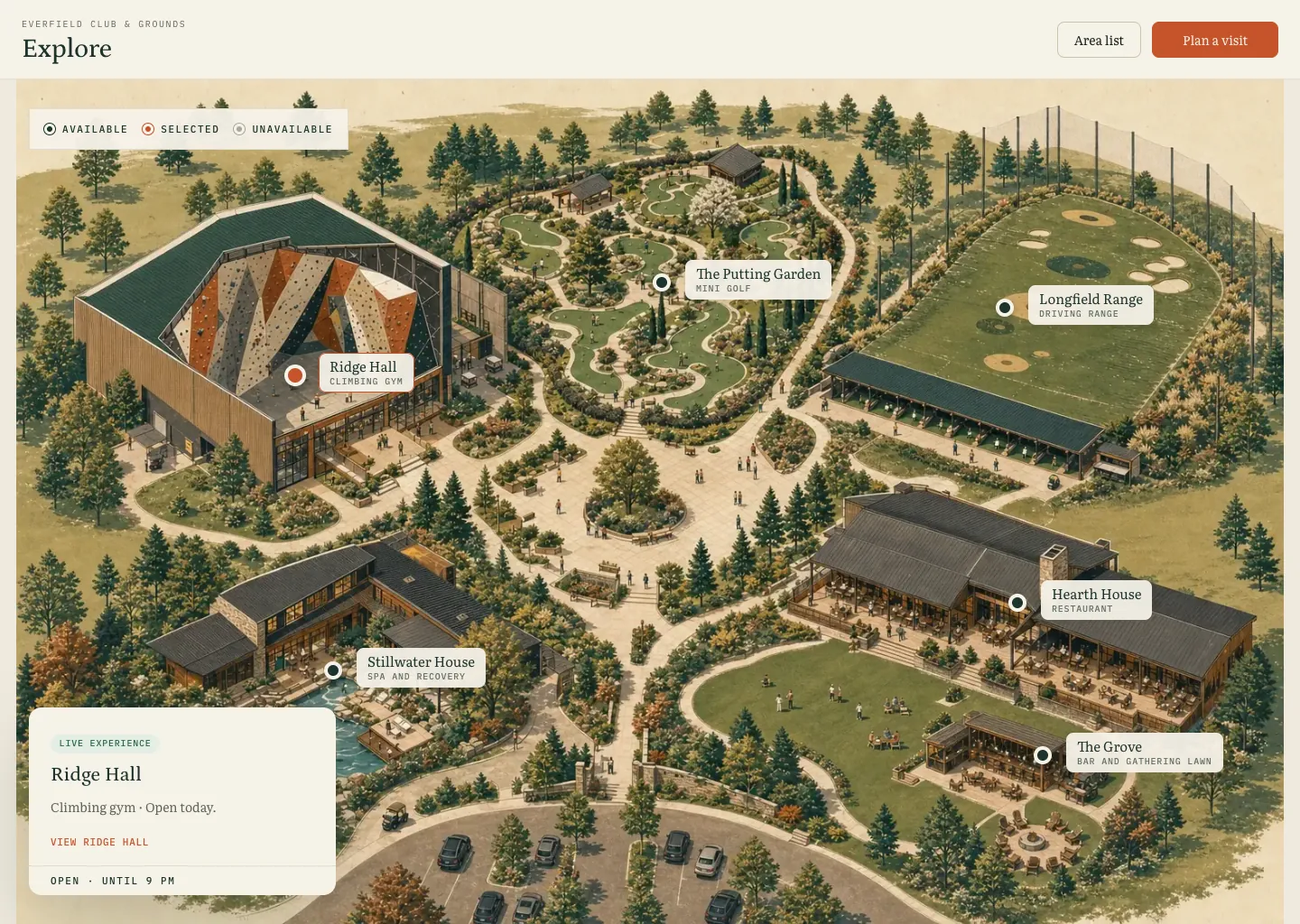
Everfield is the demo venue configured in Wayside to show how several attractions share one property and one patron history.

- ONE PROPERTY
- Distinct experiences still feel like one place.
- EACH ATTRACTION
- The Putting Garden keeps its own course, round, and scoring language.
- ONE HISTORY
- A completed round joins the patron's venue history.
Rollout plan
Which part of the property should connect first?
A module enters the plan with a provider boundary, a staff owner, an opening condition, and a result to watch.
- Registry already in place
Identity, permissions, providers, and patron history stay available to the next module.
- Venue-shaped surfaces
A range, a mini golf course, a climbing gym, and a racquet club can start from different operating needs.
- Entry and exit criteria
The next module opens after its staff owner, provider scope, and expected record are defined.
Module deployment
Test the sequence during a shift: choose the surface, connect the fields, assign the owner, and review the result.
- 01CHOOSE Name the next desk or surface
Pick the handoff with an identified staff owner and a missing patron field.
- 02CONNECT Attach it to the foundation
Use the minimum approved provider data and patron context required.
- 03SHIFT Assign the operating owner
Set the role, view, action, exception path, and the condition that closes the row.
- 04REVIEW Read the first results
Add another surface after the module produces the record it was designed to create.
The modules
Six surfaces. One patron registry underneath.
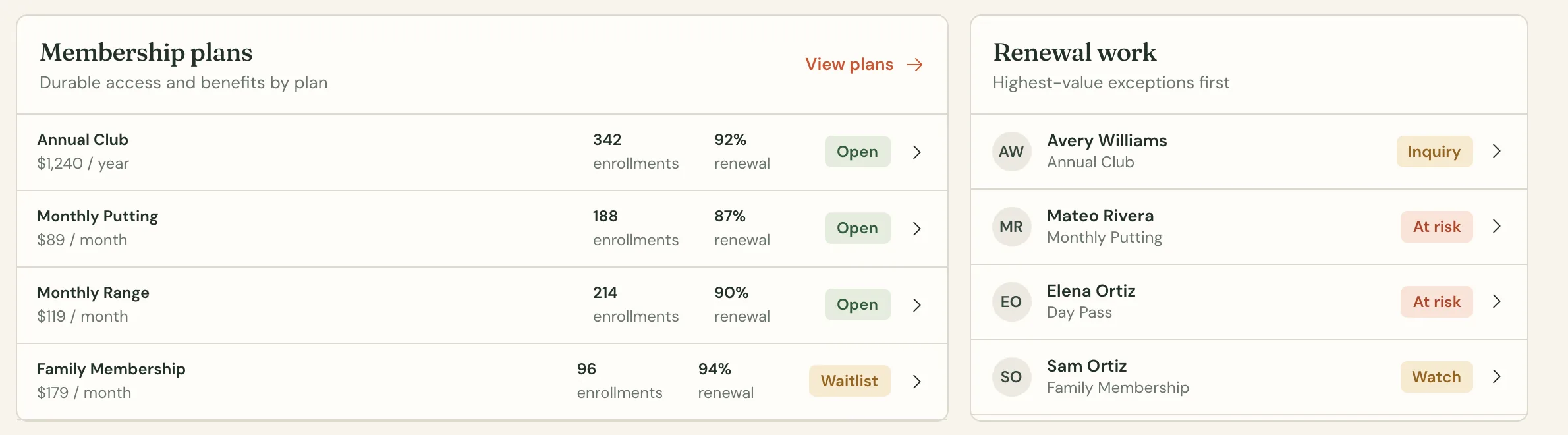
Membership and access, attached to the person.
See the plan, the member, their access, and how they use it across the venue.
- WHAT IT DOES
- Your team sees a patron’s active membership or visit package, verifies access, and uses a remaining visit at check-in.
- HOW WE SET IT UP
- We map your plans, access rules, benefits, and staff permissions, then add self-service and renewal options for your venue.
Connect the booking to the person who arrives.
Keep time, capacity, status, and the patron together, whether the booking comes from Wayside or another provider.
- WHAT IT DOES
- Wayside keeps a booking’s time, capacity, status, provider, venue, and patron together, whether the booking comes from Wayside or another provider.
- HOW WE SET IT UP
- We choose the booking source with you, map its arrival and change rules, and prove the connection in your venue. Then it goes live for staff.
Arrivals with context
Everfield · demo venue
Booking time, status, provider, and patron stay together.
- ARRIVALS
- 14
- CONFIRMED
- 11
- CAPACITY
- 82%
10:30 · Range bay 06
Avery Williams · party of 4
11:00 · Intro session
Mina Patel · first visit
11:15 · Patio table
Jon Bell · birthday note
Let the order become part of the visit.
Keep service fast while purchases join the same patron history as check-in, events, membership, and play.
- WHAT IT DOES
- Orders run through a venue-specific flow and appear in the patron’s visit history.
- HOW WE SET IT UP
- We decide whether to read orders from your current point-of-sale or run a local ordering screen, while keeping payments separate from venue perks.
Lunch service in motion
Everfield · demo venue
The order stays in the system that ran it and joins the visit history.
- OPEN
- 7
- READY
- 3
- KNOWN
- 68%
Order 1842 · Avery Williams
Patio · paid
Order 1847 · Walk-in
Range bar · open tab
Order 1839 · Mina Patel
Clubhouse · picked up
Remember who came. The calendar only knew who booked.
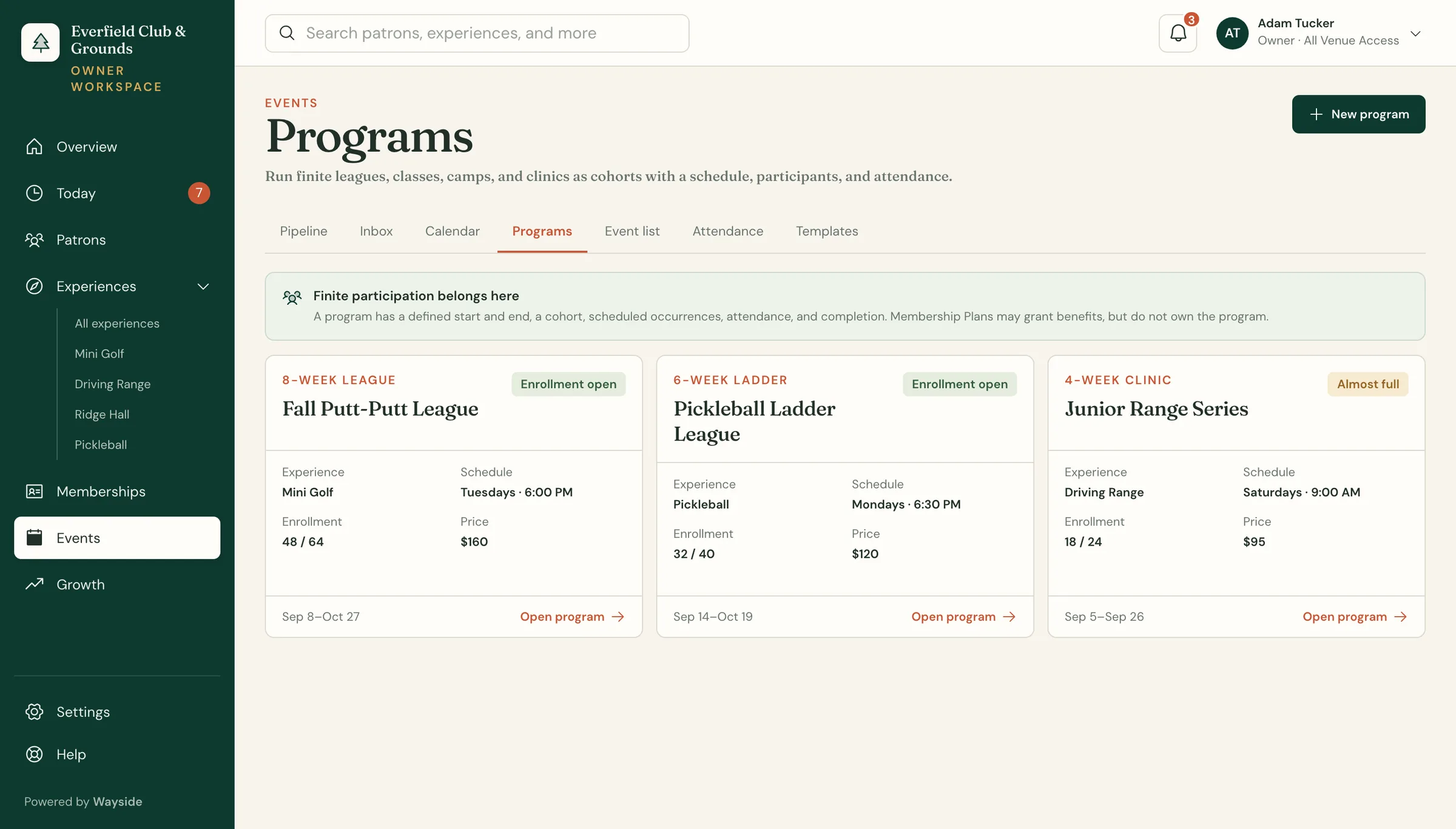
Keep inquiries, signups, and attendance from events, classes, camps, and leagues with the patron history.
- WHAT IT DOES
- Programs, inquiries, registration, and attendance run on the patron record.
- HOW WE SET IT UP
- We map your program types, registration steps, capacity rules, and where payments run, then turn on event tools for staff and patrons.
Run each attraction on its own terms.
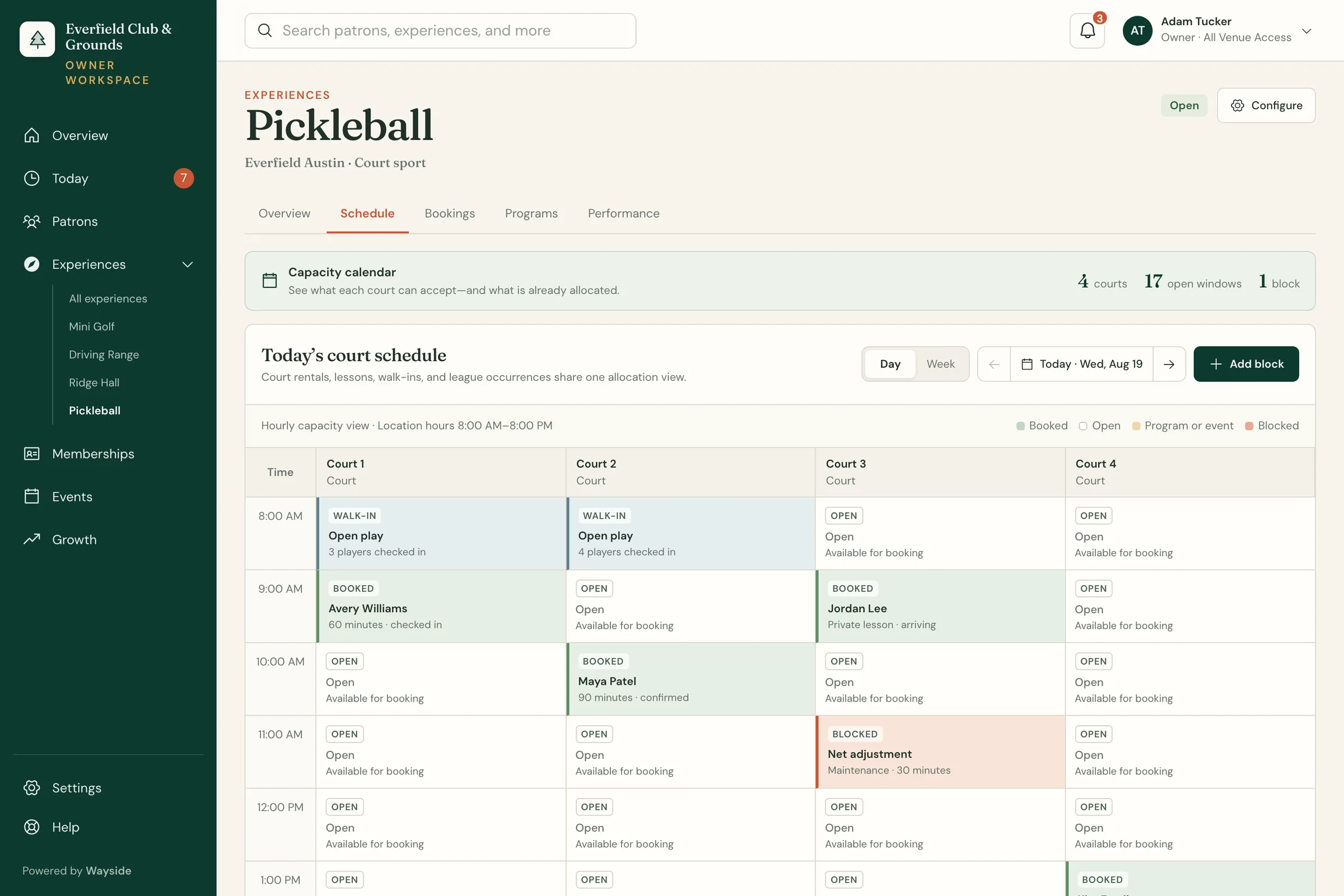
Give mini golf, a range, climbing, or another attraction the workflow it needs while useful activity joins the patron history.
- WHAT IT DOES
- Mini golf scoring, range operations, and climbing route tools run on their own terms, with useful activity joined to the patron.
- HOW WE SET IT UP
- For a new venue type, we walk through the attraction with your operators, agree on what staff need, and test it on your property before launch.
Credits and benefits with clear rules.
Keep credits, points, punches, and perks separate from real money, with clear rules for where each one works.
- WHAT IT DOES
- Wayside issues, tracks, and redeems venue credits without rewriting their history: gift cards, house credit, punches, and perks on the patron record.
- HOW WE SET IT UP
- We map exactly what each credit, punch, point, or perk means, where it can be used, and which system still owns real money.
Benefits with clear boundaries
Everfield · demo venue
Money, points, and access stay distinct even when the patron experiences one simple benefit.
- RANGE CREDITS
- 2
- POINTS
- 480
- F&B
- 10%
Large range bucket
Two member entitlements available
Member points
Eligible experiences and events
Food benefit
Discount excludes alcohol